
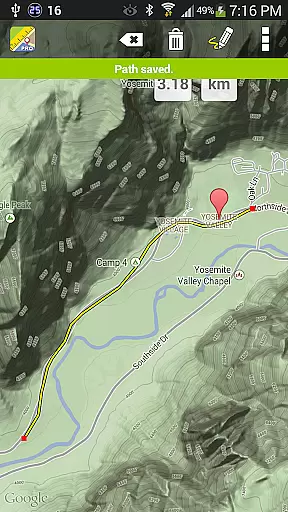
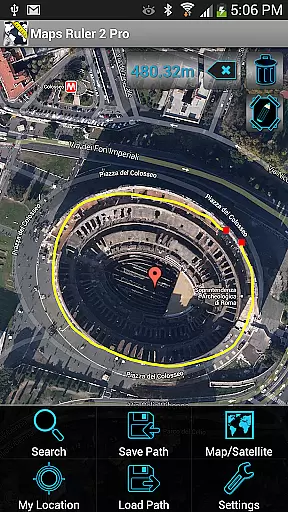
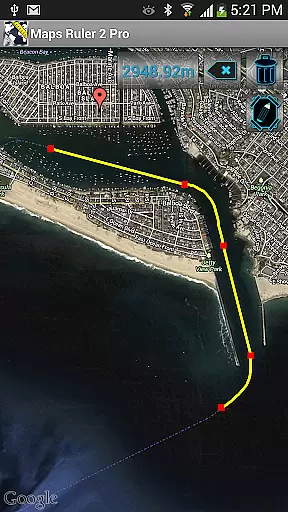
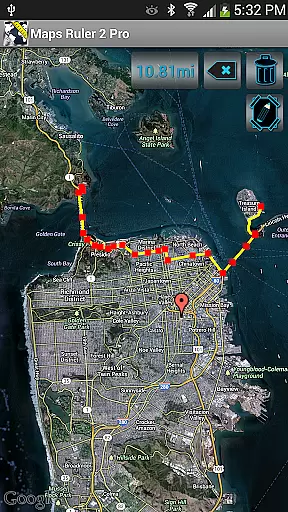
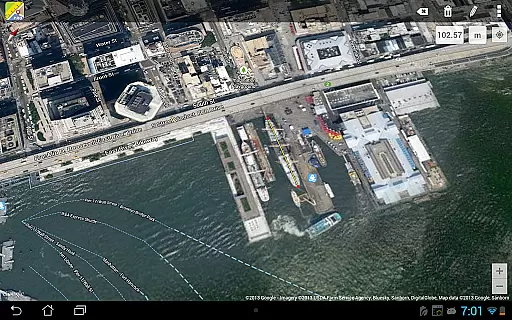
Maps Ruler Pro is a versatile mapping tool designed to calculate distances between multiple points on a map. This application is particularly useful for those who need precise measurements for various purposes, such as finding the shortest route to save energy or measuring yard distances for golf games.
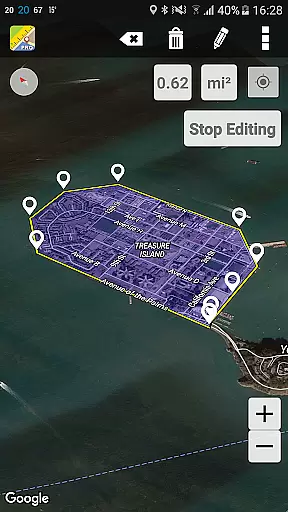
In addition to its primary distance calculation feature, Maps Ruler Pro offers an area calculation mode currently in beta. The app stands out with its pro features that include uninterrupted path calculations, similar to drawing, allowing users to name and save paths for future reference. With support for multiple units of measurement, this app is indispensable for anyone requiring accurate distance and area computations on the go.
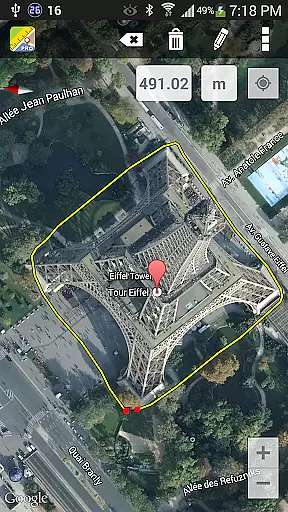
Maps Ruler Pro boasts several distinctive features that cater to a wide range of mapping needs. One notable capability is the continuous path calculation, which allows users to draw paths freely while the app calculates the distance automatically. This feature is complemented by the ability to name paths, making organization and retrieval straightforward.
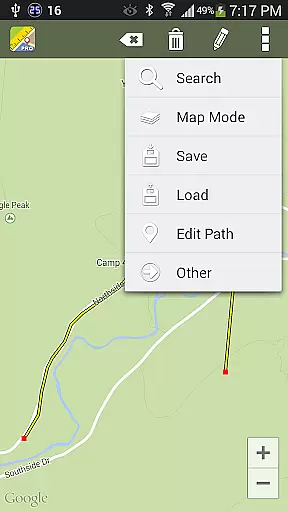
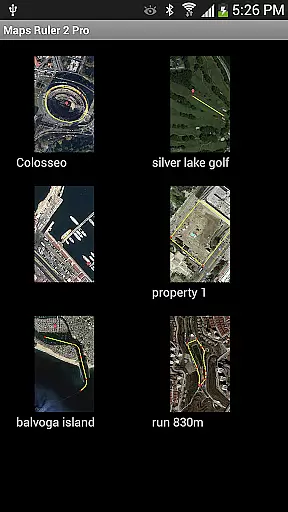
For added convenience, Maps Ruler Pro supports saving and loading paths, ensuring that users can access their previous measurements anytime. The app also excels in versatility by offering conversions between various units of measurement, including meters, kilometers, miles, feet, and fathoms. These features collectively make Maps Ruler Pro a powerful tool for both personal and professional mapping requirements.
Map accuracy is essential for any navigation or measurement tool, and Maps Ruler Pro excels in this area. The application provides precise calculations of distances between selected points on a map, ensuring users can rely on its data for various purposes.
The app offers multiple calculation modes, including the innovative Area calculation mode currently in Beta. This feature allows users to measure not just linear distances but also areas, providing versatility for different use cases such as land surveying or planning sports fields.
With continuous path calculation that works like drawing, users can easily trace their routes and obtain accurate measurements. The inclusion of conversions between units like meters, kilometers, miles, feet, and fathoms ensures that all users can work with units they are comfortable with, enhancing the overall accuracy and usability of the app.
Route planning is a critical function for Maps Ruler Pro, enabling users to find the shortest and most efficient paths. This capability is particularly beneficial for conserving energy during travel or engaging in specific activities like golf, where distance calculation is crucial.
Users can take advantage of the app's pro features, which include the ability to name paths, save and load routes, and manage multiple points. These functionalities allow for meticulous route organization and easy access to frequently used paths, streamlining the planning process significantly.
In addition to traditional route planning, Maps Ruler Pro supports advanced features such as continuous path calculation and area measurement. These tools empower users to customize their plans according to specific needs, whether it's for professional tasks like construction planning or recreational activities like hiking.
No ads
Continuous path
Path save/load
Multiple points
Unit conversions
Beta features
Limited updates
Premium cost
Complex UI
High memory use

This app is military GPS coordinate systems helper. (MGRS, UTM & DMS Maps)
 4.80
4.80
Turn your Android device into a real off-road GPS using off-line topo maps!
4.40
Explore a light pollution map to find suitable dark sky locations for observing.
4.30
Easy, Moderate and difficult offroad adventures.
4.00
GPX Viewer PRO shows tracks, routes and waypoints from gpx and kml files.
4.60
All of NHSA's trail information at your fingertips for the 2025-2026 season
4.0
Use GPS maps or search by property owner, address or parcel to view parcel data
4.30
Explore Earth with live GPS, satellite view & street navigation
3.60
Rideshare, taxi cabs, and more for your airport travels and everyday trips.
4.50
LIRR and Metro-North tickets and trips
4.80
GPS Speedometer & Odometer: Track car, bike, truck speed & distance in real-time
4.70
CamSam PLUS - The speed and red light camera warning system!
4.40
Route tracker, Speedometer, Odometer, Fuel, HUD mode, save route as .GPX
4.40
Plan routes, share locations, and set custom alert zones
4.40
GPS navigation offers route finder, compass, translator, currency converter, etc
4.30
Simple & easy to use a compass app. Get accurate directions.
4.20
Get route, find shortest path, near by places and weather update
3.90
MapQuest is your go-to app for maps, GPS, voice navigation & live traffic.
3.80
Find 93 Octane Gas: Locate Gasoline Stations Selling Premium 93 Octane or Higher
4.1


User Reviews