
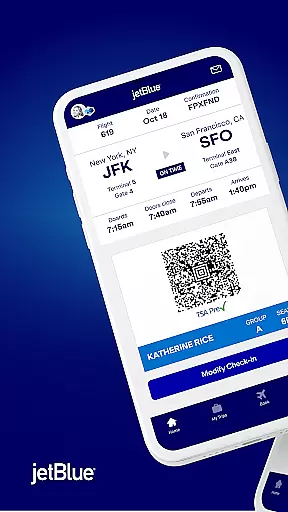
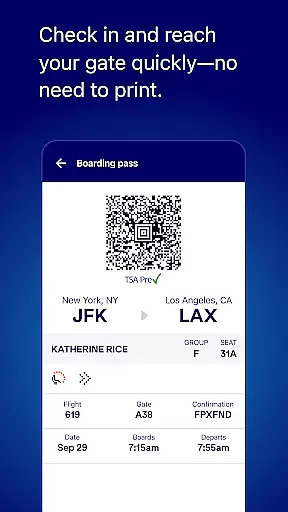
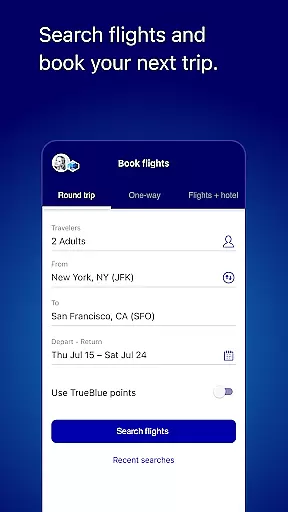
JetBlue's mobile application is a comprehensive travel companion designed to streamline the entire travel experience. The app allows users to book flights, manage reservations, and check in for trips with ease. With its intuitive interface, travelers can access boarding passes directly from the home screen on their day of travel, eliminating the need for printed documents.
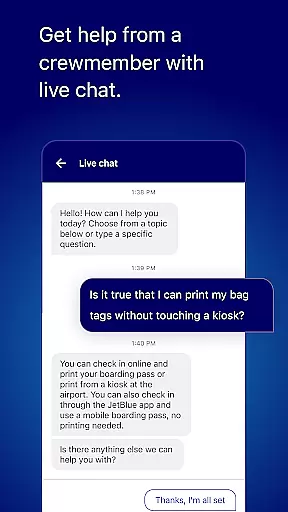
Beyond basic booking and check-in, JetBlue offers features like live chat support, enabling passengers to communicate directly with crew members for quick assistance. Users can also explore additional travel tools such as hotel bookings, car rentals, and airport shuttles through Paisly. Whether you're planning your next trip or managing an existing one, JetBlue's app provides all necessary tools in one convenient location.
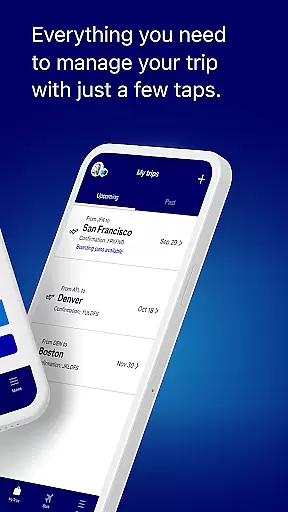
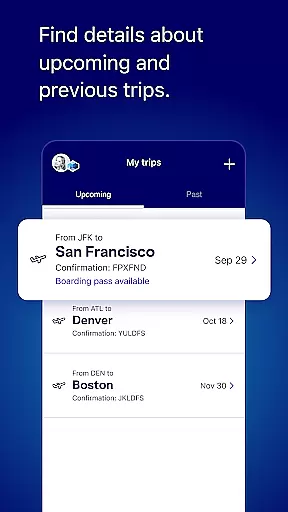
One of the standout features of JetBlue's app is its robust trip management system. Users can easily update seat selections, add extras, or modify itineraries with just a few taps. This flexibility ensures that travelers have control over every aspect of their journey. Additionally, the My Trips section allows users to store both upcoming and past itineraries, providing easy access to essential information whenever needed.
The app also enhances the inflight experience by offering detailed menus of snacks, drinks, and entertainment options available onboard. For frequent flyers, the My TrueBlue feature enables enrollment or login to track TrueBlue points, view Travel Bank balances, and request missing points for past trips. These personalized touches make each flight more enjoyable and rewarding, ensuring a seamless transition from ground to air travel.
When it comes to booking travel, ensuring the authenticity of your reservations is paramount. The JetBlue app provides a secure and reliable booking system that guarantees your flight details are accurate and confirmed.
Through advanced verification mechanisms, every booking made via the app is instantly confirmed with the airline, providing you peace of mind. This process eliminates the risk of fake bookings and ensures that your travel plans are set in stone.
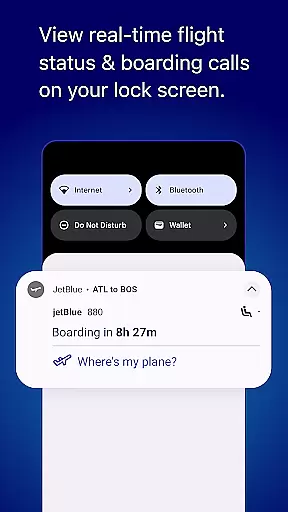
Users benefit from real-time updates and notifications regarding their bookings. Whether there's a change in flight timing or gate changes, you're always informed promptly.
The app's integration with JetBlue's systems means that all booking information is directly sourced from the airline's database, making certain that what you see in the app is the most current and accurate data available.
Understanding the cost associated with your travel plans is crucial for a stress-free experience. The JetBlue app excels in offering price transparency, ensuring travelers know exactly what they are paying for.
With clear breakdowns of flight costs, including taxes and additional fees, users can make informed decisions about their travel purchases. The app displays competitive pricing and offers various filtering options to find flights that suit different budgets.
Customers have access to detailed price comparisons when selecting flights, allowing them to choose the best option not just based on timing but also value for money.
This level of openness not only builds trust but also empowers users by giving them control over their expenses, ensuring no hidden charges catch them off guard during checkout.
User-friendly interface
Comprehensive travel tools
Live chat support
Easy booking process
Personalized experiences
Limited offline functionality
Occasional bugs reported
Ads within the app
Geographic restrictions
Additional fees for extras

Explore our parks like never before with the completely reimagined Six Flags app
 4.30
4.30
Maps Speedometer shows your current speed in any app
3.60
A Camino de Santiago Guidebook from St. Jean Pied de Port to Santiago
3.60
A tool for outdoor activities.
4.30
One app, 300,000+ travel experiences, tours, and tickets you’ll remember.
4.90
Travel light with our easy-to-use mobile app, the perfect flying companion.
4.40
Stay at Motel 6 for less - book fast, save more with MY6 app!
4.70
Link & locate for real-time child & family safety: GPS tracker for families
4.40
Now you can book homes, experiences, and services—all in our redesigned app.
4.40
Streamline your U.S. entry
4.90
Find the perfect vacation rental. Search from over 2 million properties.
4.80
Book your whole trip in one app.
4.80
Booking your bus tickets has never been easier
4.70
Download now and start earning rewards on hotels, tours, and everything travel.
4.50
Earn hotel and travel rewards, find hotel offers, and access your Digital Key.
4.50
Stack Upside with your current credit & debit rewards for even more cash back!
4.50
Get Moving Made Easier® with the official U-Haul® Moving & Storage app.
3.40
A packing list app that helps you remember what to pack for a trip.
3.10
Learn about one of the most famous Victorian cemeteries in the world
2.80


User Reviews