
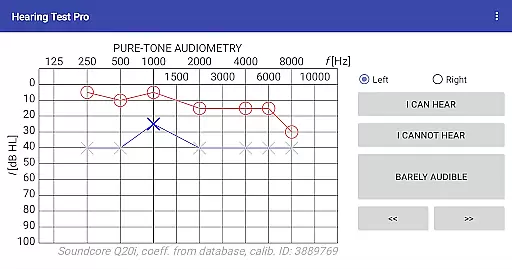
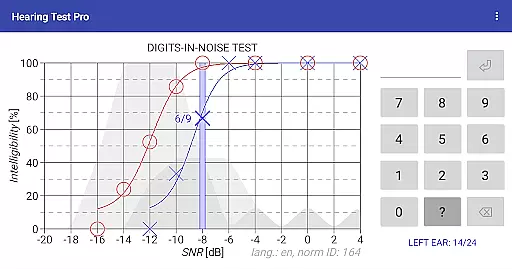
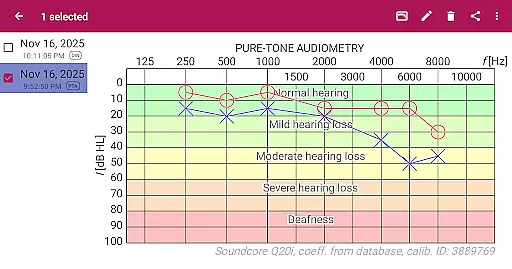
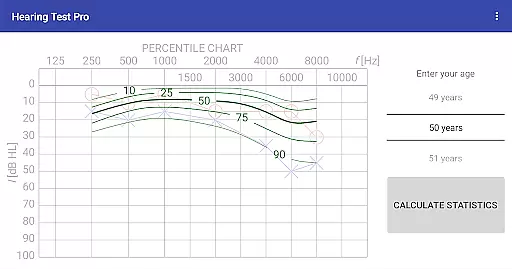
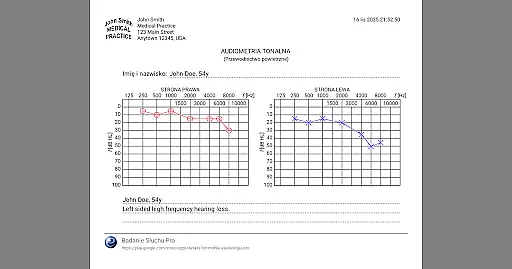
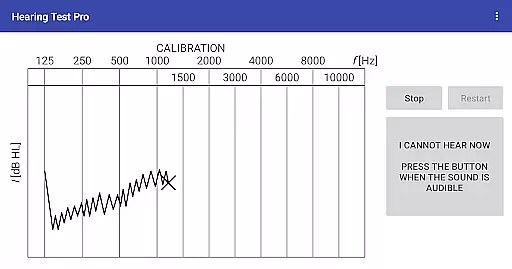
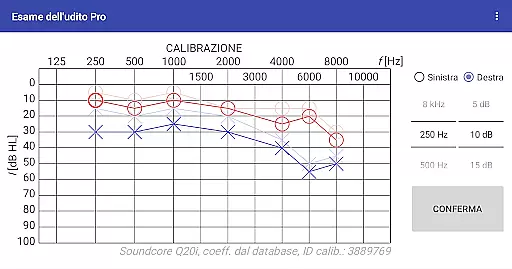
Hearing Test Pro is a comprehensive mobile solution designed for evaluating hearing capabilities through scientifically-backed methods. The app provides two primary testing options: pure-tone audiometry and the digits-in-noise test, both essential for assessing different aspects of auditory health. Pure-tone audiometry measures the quietest sounds detectable across various frequencies, offering insights into the degree of hearing loss. Meanwhile, the digits-in-noise test evaluates speech intelligibility by challenging users to recognize spoken digits amidst background noise. These features make the app suitable for individuals seeking to monitor their hearing health or professionals requiring reliable diagnostic tools.
In addition to its core functionalities, Hearing Test Pro includes advanced features such as high-frequency audiometry, classification of hearing loss, and comparison with age-related norms. Users can also calibrate their devices for optimal accuracy, ensuring reliable results regardless of the headphones used. With its ability to store results locally or in the cloud, this app serves as an invaluable tool for tracking auditory health over time, making it ideal for personal use or clinical settings.
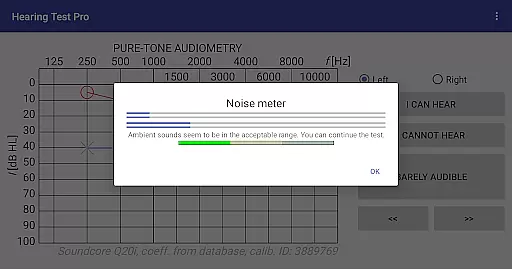
Hearing Test Pro stands out due to its robust feature set tailored for accurate hearing assessments. The app's pure-tone audiometry function uses predefined calibration coefficients from a database, ensuring precise measurements when using bundled headphones. For those with custom setups, manual calibration options allow users to adjust settings based on clinical audiometer results, enhancing reliability. Additionally, the inclusion of a noise meter helps maintain consistent testing conditions by measuring ambient sound levels during assessments.
Beyond basic testing, the app offers several professional-grade features. High-frequency audiometry extends the range of detectable frequencies, while classification tools categorize hearing loss according to established standards. Users can compare their results against age-related norms, providing context for their auditory health. The Pro version further enhances functionality with offline access to test results, cloud synchronization for data portability, and manual stimulus control during tests. These innovations ensure Hearing Test Pro remains a versatile and indispensable tool for both personal and professional use.
When it comes to medical applications, the credibility of content and expert review is paramount. Hearing Test Pro demonstrates a strong commitment to accuracy by offering scientifically-validated tests such as pure-tone audiometry and the digits-in-noise test. These assessments are widely recognized in audiological fields for determining hearing thresholds and speech intelligibility.
The app provides additional features like high-frequency audiometry and classification of hearing loss, which are essential tools used by professionals. By including functionalities that compare results with age-related norms and allow calibration adjustments based on clinical audiometers, the app ensures its measurements align closely with professional standards.
Furthermore, the availability of expert-reviewed features such as device calibration and verification of calibration coefficients enhances user trust. This attention to detail not only assures users of reliable results but also supports healthcare providers in delivering accurate diagnoses and treatment plans.
While Hearing Test Pro does not offer teleconsultation services directly, it enhances the quality of remote audiological assessments through comprehensive testing capabilities. The app's ability to store test results locally or synchronize them across devices via the cloud ensures that healthcare professionals can access accurate data during virtual consultations.
Features like printing test results and adding notes allow users to compile detailed reports that can be shared electronically with specialists. This facilitates informed discussions and recommendations without the need for physical presence, streamlining the teleconsultation process.
Moreover, the Pro versionu2019s advanced functionalities, such as manual stimulus control in pure-tone audiometry, empower both patients and clinicians with greater flexibility during remote evaluations. Such tools contribute significantly to maintaining high-quality interactions between patients and healthcare providers, even when consultations occur online.
Accurate testing
Custom calibration
Cloud sync
Offline access
Noise measurement
Complex setup
Premium cost
Limited free
Device specific
Learning curve

A scientifically-proven method to help people with dementia or memory impairment
 4.0
4.0
Leafly is a weed app for finding dispensaries, cannabis strains, & more.
4.70
ECG modules improve rhythm ID. ACLS is a simulator for cardiac arrest scenarios.
4.1
MHealth is the mobile version of MEDITECH’s Patient and Consumer Health Portal.
3.10
Log your symptoms in the MyZio app — the perfect companion to the Zio monitor!
4.60
Discover the source of pain with Muscle Trigger Point Anatomy.
4.70
X-Vein: Advanced vein detection for medical practice
3.10
Download OctaApp for easy access to your plasma donation info
4.40
Continuous Glucose Monitoring
3.40
Pelvic Floor Muscle Exercises
4.80
A comprehensive 3D atlas of the human body
4.80
Identify pills, search different drugs, get drug information and much more!
4.50
Beat alcohol and drug addiction with a revolutionary treatment program in an app
4.50
The OptumRx app empowers you to become an advocate of your pharmacy benefits.
4.40
Assess and treat left neglect more effectively in stroke and brain injury rehab.
4.30
Your pocket guide to following The Monash University Low FODMAP diet.
4.20
700 questions, 2 full exams, Predictive Scoring—your key to NREMT success!
3.90
Donating plasma just got easier with the BioLife Plasma Services mobile app.
3.90
OKN Strips, OptoDrum, OKN
4.4


User Reviews