
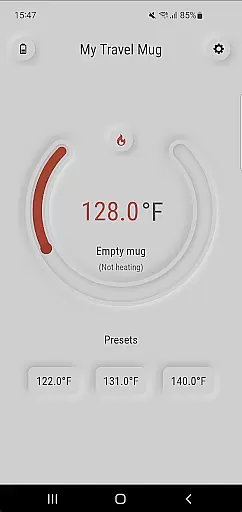
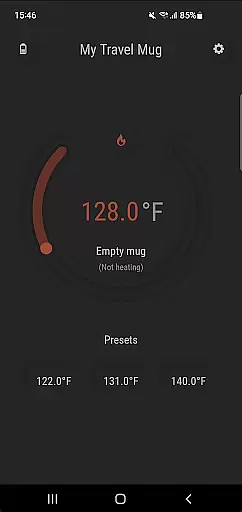
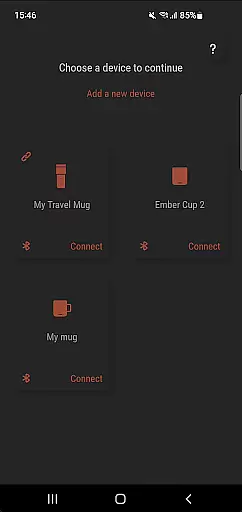
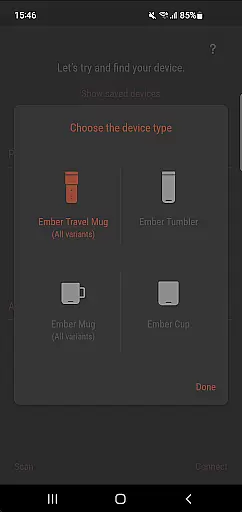
Ember Supreme is a feature-rich companion app designed specifically for users of Ember smart mugs. This application allows you to control and customize various settings of your smart mug, including setting the target temperature in your preferred unit, changing the LED color, and even naming your mug. The app supports multiple Ember products such as Ember Mug 1 & 2, Ember Cup 1 & 2, Ember Travel Mugs, and Ember Tumblers.
The intuitive interface ensures that users can easily manage their smart mug preferences, making it an essential tool for maintaining the perfect beverage temperature. Whether you're at home or on the go, Ember Supreme provides a reliable and seamless experience, enhancing your smart mug usage with additional functionalities.
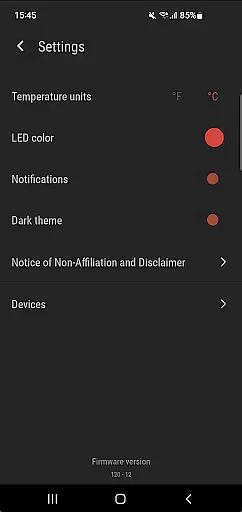
Ember Supreme offers a comprehensive set of features tailored to enhance your experience with Ember smart mugs. One of its primary functions is the ability to precisely set and maintain your desired beverage temperature, ensuring your drink stays exactly how you like it. You can choose between Fahrenheit or Celsius, catering to your personal preference.
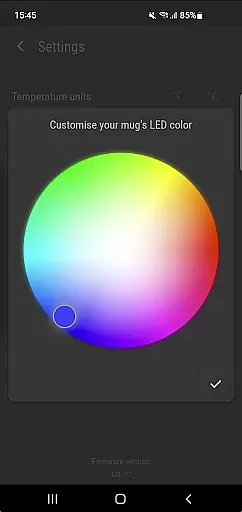
Beyond temperature control, the app allows customization of the mug's LED color and name, adding a personalized touch to your device. These features not only improve usability but also make your smart mug uniquely yours. With support for a wide range of Ember products, Ember Supreme stands out by providing a unified platform to manage all your Ember devices efficiently.
Ember Supreme offers comprehensive lifestyle management by integrating seamlessly with your Ember smart mugs. This application allows users to customize their drinking experience through a variety of settings and preferences.
The app supports multiple Ember products including Ember Mug 1 & 2, Ember Cup 1 & 2, Ember Travel Mugs, and Ember Tumblers. With this wide range of compatibility, users can manage different devices from one centralized location.
Key features include setting the target temperature for your beverage, choosing the temperature unit preference, and customizing the LED color and name of your mug. These options ensure that each user's personal preferences are met with precision.
By covering essential aspects of beverage customization and device management, Ember Supreme enhances daily routines and provides a tailored experience that fits various lifestyles.
The Ember Supreme app ensures content authenticity by providing reliable and accurate controls for your Ember smart mugs. Developed in conjunction with experts in smart home technology, it guarantees a trustworthy user experience.
Each feature within the app is designed based on real user feedback and rigorous testing processes. This commitment to quality ensures that every function performs as intended without compromising accuracy or reliability.
Expert validation is evident in the seamless integration between hardware and software components. Users can trust that actions performed via the app directly translate into desired outcomes on their Ember devices.
With verified content and expert-backed functionalities, Ember Supreme stands out as an authoritative tool in managing smart lifestyle accessories effectively.
User-friendly interface
Wide product compatibility
Precise temperature control
Customizable LED colors
Personalized mug naming
Limited to Ember products
No advanced scheduling
Requires constant connectivity
Basic UI design
Occasional syncing issues

Unique BIG BOLD TIME with amazing colors and customisations.
 3.70
3.70
Get roadside help, discounts, travel tools & more — AAA is with you everywhere.
4.80
Countdown to Christmas 2025 with festive games & activities in a virtual village
4.80
Big bold weather watch face with dynamic backgrounds and 3 complications
4.2
View over 160,000 line dance stepsheets from the CopperKnob website.
3.30
Unique Dual Colors with 6 Custom Complications for Wear OS watches!
3.40
The go to app for taking unlimited notes!
4.50
Good magnifier app to see tiny things bigger and more clearly!
4.80
Discover your Nationality, Family Origin, and Ancestry from one selfie
4.50
Digital smart watch face made for Wear OS.
4.70
The App can control Roborock vacuum cleaners from anywhere with rich features.
4.60
The all-new Cync app. The simple, connected app for Cync and C by GE.
4.50
Connect to your Shark ROBOT™ from anywhere using the SharkClean™ App.
3.60
Creativity and savings for kids, beginners and experts in arts and crafts
3.50
Take Hobby Lobby with you wherever you go!
3.40
Discover how to help puppies stay calm around noise with this helpful app.
4.0
Designed to delight, impress and energize your festive spirit every single day
4.1
Cute animated Thanksgiving watchface for your WearOS smartwatch
4.0
Customize your Wear OS watch with festive Christmas figures and colors!
4.2


User Reviews