
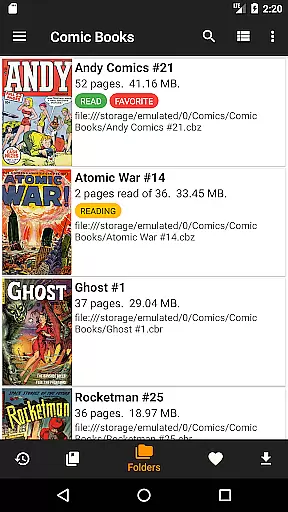
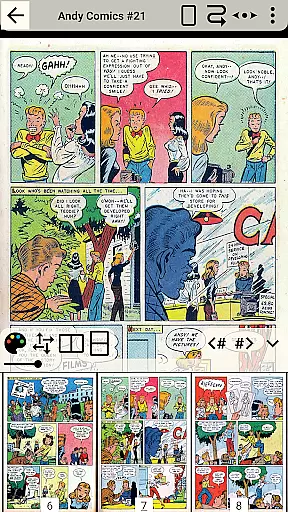
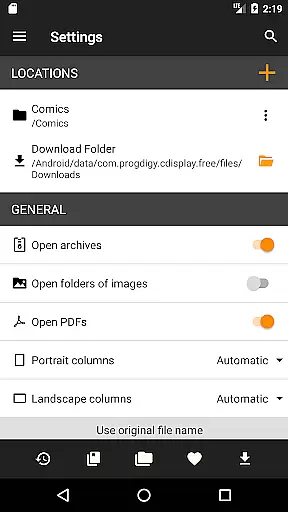
CDisplayEx Comic Reader Lite is a versatile comic book reader designed for comic enthusiasts who value speed and simplicity. This app supports all major comic formats including .cbr, .cbz, and .pdf, making it the go-to choice for reading Manga and other graphic novels. Its instant loading feature ensures that users can jump right into their reading without delays.
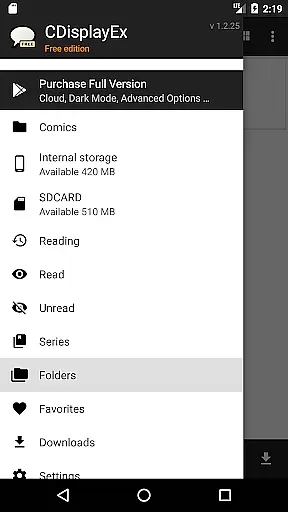
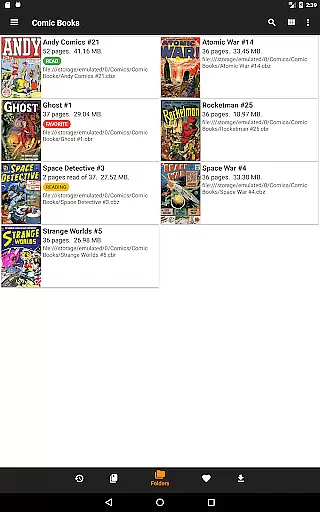
Beyond its core functionality, CDisplayEx offers an integrated library management system. Users can easily browse through their folders to find comics or use the app's organizational features to group series together. The app also includes a search function and allows users to preload files from network shares onto their mobile devices, ensuring that your entire collection is accessible wherever you go.
Whether you're commuting or relaxing at home, CDisplayEx provides a seamless reading experience. Its user-friendly interface and efficient performance make it an ideal tool for anyone looking to enjoy their comic collection on the go.
CDisplayEx Comic Reader Lite stands out with its comprehensive format support, accepting files like .cbr, .cbz, and .pdf. This ensures that no matter what type of comic book file you have, the app can handle it effortlessly. The fluid and comfortable reading experience is further enhanced by its instant loading capabilities, which eliminate frustrating wait times.
The app also excels in library management. By allowing users to organize their collections by series or offering suggestions for the next read, CDisplayEx makes navigating large libraries intuitive. Additionally, the ability to connect to network shares and preload files means that users can access their comics even without an active internet connection.
For those who need quick access to specific volumes, the integrated search function is invaluable. It helps locate any comic instantly, saving time and enhancing the overall user experience. These features collectively ensure that CDisplayEx remains a top choice for comic readers seeking both functionality and convenience.
CDisplayEx Comic Reader Lite offers an extensive and versatile comic library that caters to a wide range of interests. The application supports all popular comic book formats including .cbr, .cbz, and .pdf, ensuring that users have access to a vast array of reading material.
The integrated library management system allows users to organize their collections efficiently. By simply indicating where your comics are stored, the reader groups them by series or suggests the next album to read, enhancing the overall reading experience.
With its powerful search functionality, users can instantly locate specific volumes within their collection. This feature ensures that even as your library grows, finding and enjoying your favorite comics remains effortless and quick.
Authenticity and proper licensing are crucial aspects of CDisplayEx Comic Reader Lite. The app guarantees that all comics read through its platform are legitimate copies, respecting copyright laws and supporting creators.
Users can confidently browse and read their collections knowing that the content is properly licensed. This commitment to legal compliance provides peace of mind and ensures a trustworthy reading environment.
Additionally, the app's ability to connect to network shares and preload files on your device means you can manage and verify your comic library with ease. This functionality not only enhances convenience but also reinforces the app's dedication to content authenticity.
User-friendly interface
Instant loading feature
Comprehensive format support
Integrated library management
Network share connectivity
Limited customization options
No cloud sync feature
Occasional bugs reported
Ads in the Lite version
Advanced features locked in premium

Scan comics instantly! Find comic value, price, and key collector details fast.
 4.50
4.50
Discover manga stories & stream anime series with unlimited entertainment access
4.40
The ultimate app for comic lovers
4.50
The pure application on the Manga SWAT website
4.80
Artists wanting to use decent hand reference on the go, this app is for you!
4.70
Experience the largest selection of DC comics anywhere with DC UNIVERSE INFINITE
3.40
A gathering place for a massive collection of genuine comics.
4.50
Read comics & manga
4.70
+Not your everyday comic. Everyday.
3.50
Dive into creative online comics, short video, graphic novels and web novels!
4.60
Free Comic Book Collection Management & Price Guide
4.60
The fastest and most convenient comic book reader - comics of all formats
4.40
Read comics, manhwa, manga & novels Official webtoons with daily updates
4.30
The anime tv for fans Sud and Dub
4.20
Read webcomics & webnovels
4.20
Read official webcomics, webtoons, Korean manga & webnovels
3.70
Comic reader app: open ZIP, RAR, CBZ, CBR, and PDF files
3.00
Read manga, comics, and manhwa
4.2
Goat sound simulator. This app makes for fun.
4.4


User Reviews