
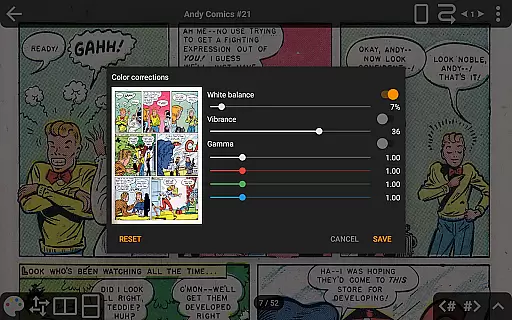
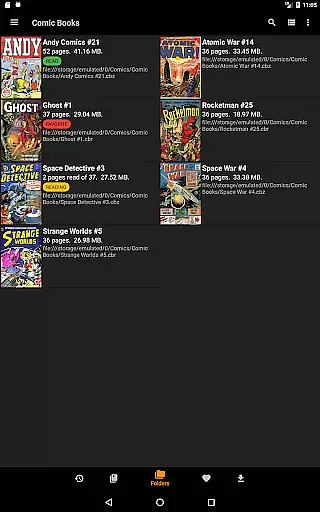
CDisplayEx Comic Reader is a versatile and efficient comic book reader designed for comic enthusiasts. This application supports all major comic formats including .cbr, .cbz, and .pdf files, providing an optimal reading experience. The app loads comics instantly and ensures smooth page transitions, making reading comfortable and enjoyable.
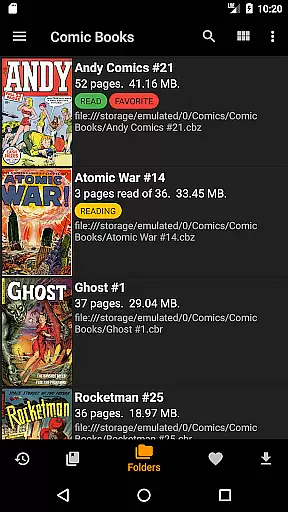
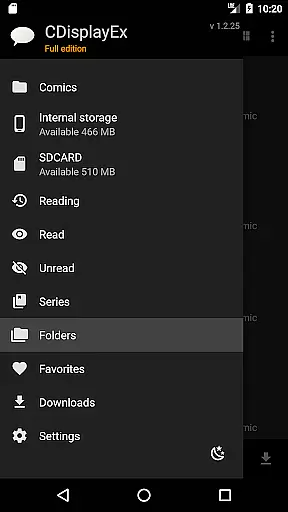
One of the standout features of CDisplayEx is its advanced library management system. Users can browse through their folders to find comics or use the integrated library management to organize collections by series. Additionally, it offers network share connectivity, allowing users to preload files on their devices. With support for cloud services like OneDrive and Dropbox in the Pro version, it enhances accessibility and convenience.
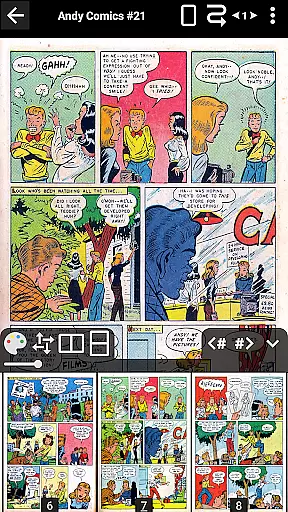
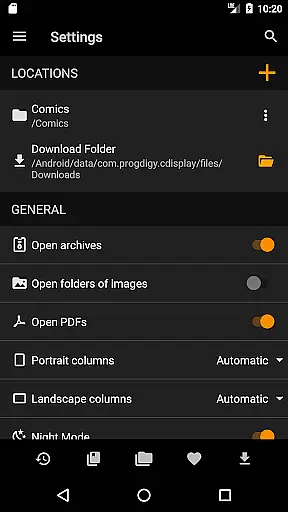
The app is particularly beneficial for users who have large collections of digital comics and Manga. Its intuitive interface and customization options, such as continuous pages and advanced scaling, cater to various reading preferences. Overall, CDisplayEx Comic Reader provides a comprehensive solution for managing and enjoying digital comic libraries.
CDisplayEx Comic Reader boasts a range of features that enhance the digital comic reading experience. Firstly, it supports multiple comic formats, ensuring compatibility with most digital comics available. The app's ability to load files instantly and provide fluid page navigation makes it stand out from other readers.
For users seeking advanced functionality, the Pro version offers additional benefits. These include access to cloud services like OneDrive, Dropbox, and Mega, enabling seamless integration with users' existing storage solutions. The Pro version also includes continuous page viewing options, both horizontally and vertically, and advanced scaling options that allow precise control over page navigation.
Another notable feature is the integrated library management system. This allows users to organize their collections efficiently, grouping comics by series and suggesting the next album to read. Network share connectivity and S-Pen support further enhance usability, making CDisplayEx Comic Reader a robust tool for comic enthusiasts looking to optimize their reading experience.
CDisplayEx Comic Reader offers an extensive and versatile comic library that supports all major comic book formats including .cbr, .cbz, and .pdf files. This ensures that users can access a wide variety of comics without worrying about format compatibility issues.
The application allows users to browse through their folders effortlessly, automatically detecting and organizing comic collections by series. This feature not only simplifies navigation but also enhances the overall reading experience by presenting users with a well-structured library.
Additionally, CDisplayEx provides integrated library management, enabling users to indicate where their comics are stored. The reader then intelligently groups these comics, offering suggestions for the next album to read in the collection. This personalized recommendation system helps users discover new content within their existing library.
One of the standout features of CDisplayEx Comic Reader is its commitment to content authenticity and proper licensing. The app ensures that all comics are read in their original format, preserving the creator's intended presentation and artwork quality.
While the app itself does not provide or verify licenses, it supports legitimate ownership by allowing users to load their legally acquired comic files directly. This respects both the intellectual property rights of creators and the legal rights of users to read their purchased content.
Furthermore, the Pro version of CDisplayEx extends its support for authentic content consumption by integrating with cloud services like Onedrive, Dropbox, Komga, Kavita, and Mega. These partnerships ensure that users can access their legally stored comics from various platforms while maintaining the integrity of the original files.
User-friendly interface
Supports multiple formats
Instant file loading
Advanced library management
Cloud service integration
Limited free features
No Google Drive support
Pro version is paid
Interface can be complex
Occasional bugs reported

Scan comics instantly! Find comic value, price, and key collector details fast.
 4.50
4.50
Joke book collection with the funniest dad jokes and riddles for you to enjoy!
4.60
The ultimate app for comic lovers
4.50
AsuraScans read manga, manhua, manhwa, and webtoon
3.90
매일 매일 새로운 네이버 웹툰
4.50
Browse and read all your comics and mangas from YACReaderLibrary
4.20
Pose Tool 3D for the Artists, create any human figure pose quickly for your art.
4.00
Read and track manga across the web with ease
4.90
Read official webcomics, webtoons, Korean manga & webnovels
3.70
Catalog your collection. Just scan covers with your device camera. (US $20/yr)
4.80
File management and show images, comics and pictures in compressed cbr, pdf file
4.70
Instant access to over 30,000 Marvel comics with new issues added every week.
4.70
Manga Reader for Comics, Webtoons & Manhwa. Read Mangas, Chat Stories and Novel.
4.30
Read latest manga with this minimal reader with NO ADS.
4.30
The anime tv for fans Sud and Dub
4.20
Become a real PKM Card Maker, create or custom any Poke TCG cards and share them
4.10
More fun from BOM! Hurry up and do the following self-test, if you meet more than one item, come and experience the brand new world of comics!
3.40
Get the latest manga chapters daily, released simultaneously with Japan.
3.10
You can create comics, manga and manwha using AI with Arcstory comic book maker
2.70


User Reviews