
TextFree is a versatile communication app that provides users with a free second phone number for calling and texting. Designed for those seeking privacy or separation between personal and professional lives, this free texting app offers seamless management of communications without the need for an additional device or SIM card.
The app's core functionality revolves around its ability to offer a second phone number that works on your existing smartphone, allowing you to make calls and send texts—including multimedia messages like photos, GIFs, and PDFs—without revealing your primary contact information. Whether you're a freelancer, student, or anyone in need of discreet communication, TextFree ensures secure interactions through features such as private number usage for online purchases, job searches, and dating apps.
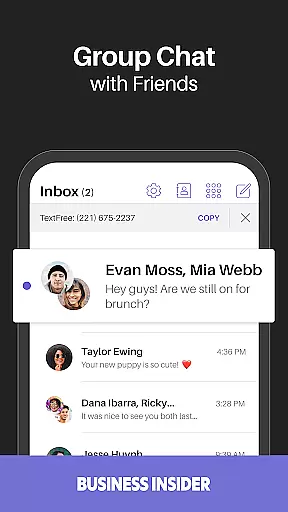
Beyond basic talk and text capabilities, TextFree also includes advanced options like group messaging, emoji reactions, and voice message replies, making it a comprehensive solution for modern communication needs.
TextFree stands out due to its robust feature set tailored for efficient and private communication. One of its key highlights is the provision of a free second phone number, which can be used for both calling and texting. This eliminates the necessity for multiple devices while ensuring privacy when interacting online or sharing contact details for various purposes.
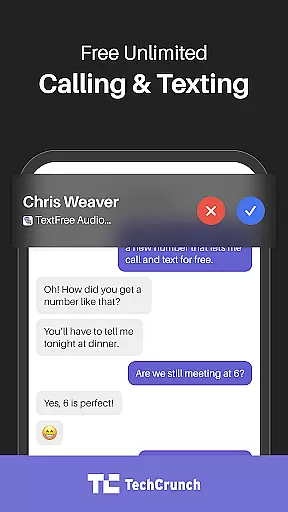
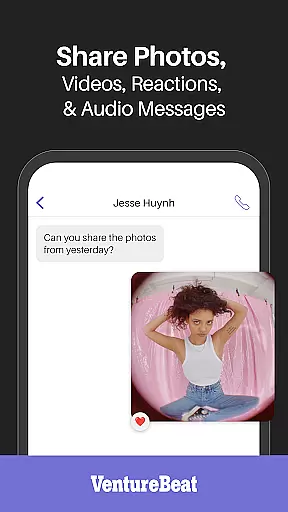
In addition to standard call and text functions, TextFree supports multimedia messaging, enabling users to send images, documents, and even GIFs effortlessly. The app facilitates not only individual but also group conversations, complete with interactive elements such as emoji reactions and voice message responses. Furthermore, subscribers of TextFree Plus enjoy added benefits including ad-free usage, receipt of verification codes from popular services, reserved numbers that won't expire, and the flexibility to change their assigned number daily if desired.
These features collectively enhance user experience by providing convenience, security, and customization options that cater to diverse communication preferences within social contexts.
User profile customization and authenticity verification are essential features in any social application, ensuring both personalization and security. TextFree allows users to create and manage a second phone number, which serves as an extension of their digital identity. This feature is particularly valuable for those who wish to maintain privacy while engaging in various forms of communication.
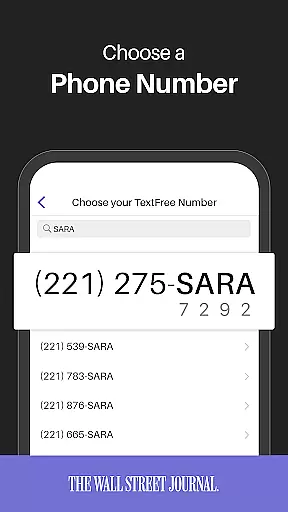
The app provides a seamless experience for customizing user profiles with a second phone number that can be tailored for specific uses such as online purchases, job searches, or dating apps. By doing so, it helps protect the user's primary phone number from unwanted exposure, effectively serving as a layer of authenticity verification.
TextFree ensures that each secondary number is unique and can be personalized according to the user's preferences. This not only enhances privacy but also adds a level of professionalism when used for work-related communications. Users can trust that their interactions remain confidential and secure, without sacrificing the ability to engage fully in the digital world.
By integrating these features, TextFree offers a compelling solution for individuals seeking to balance connectivity with privacy. The ability to customize and verify one's digital presence through a secondary number empowers users to take control of their personal information and how they interact with others online.
Connection discovery is a pivotal aspect of social applications, enabling users to find and connect with others efficiently. TextFree enhances this process by providing users with a free second phone number, streamlining their communication needs. This feature is especially beneficial for those looking to separate personal and professional contacts or simply wanting an additional layer of privacy.
With TextFree, users can easily discover new connections through their secondary number without revealing their primary contact details. This facilitates safer interactions on platforms like online marketplaces, social networks, and professional environments where discretion is preferred. The app's design promotes effortless connection management, allowing users to maintain distinct lines of communication.
Furthermore, TextFree supports various forms of communication including calls, texts, and multimedia messages. This versatility ensures that users can engage with their network in multiple ways, enhancing the overall connection discovery experience. Whether reaching out to potential employers, clients, or new acquaintances, TextFree equips users with the tools needed to establish meaningful connections securely.
Ultimately, TextFree's approach to connection discovery empowers users to expand their networks confidently. By offering a dedicated second line for communication, it simplifies the process of finding and interacting with others while safeguarding personal information, thus enriching the social networking landscape.
Free second number
No extra device needed
Privacy protection
Multimedia messaging
Group chat support
Limited international use
Occasional ads
WiFi/data required
Premium costs
Verification delays

Watch, Edit, Upload and Share Gaming Clips
 4.00
4.00
This is to support the developer of Infinity for Reddit. No exclusive features.
4.0
Social calendar for friends to make plans, group chat, share events & schedules
4.60
Get notifications of FREE Stuff for Nextdoor, Letgo, offerup & TrashNothing
4.70
Raise cute Pengus with friends
4.70
Meet online & chat with people! Talk, have fun, make connections in real time!
4.00
Go Live, Chat & Meet New People! Friends. And more than friends.
3.80
Live Chat & Match! Explore Real-Time Dating and Make Friends!
4.40
A video app from OpenAI - AI video generation by the maker of ChatGPT
4.60
Watch super live shows 24/7, chat & meet friends in Plamfy social networking app
4.70
Dating & make friend to chat, meet, flirt, and make real connections!
4.60
This version of Facebook uses less data and works in all network conditions.
4.60
Dating for singles. Meet lonely people nearby online. Find your match here!
4.20
A warm, simple dating app for adults seeking real connection.
4.20
Discover an open-minded dating experience when you download today
4.10
Chill and Chat with Tagged Live Video with millions of peeps
4.10
Unlimited messages, WiFi Calling, Texting app. Text now with Second Phone Number
4.10
Follow the Truth! Join America's leading free-speech social platform.
3.10
Message and video call your family and friends!
2.60


User Reviews