
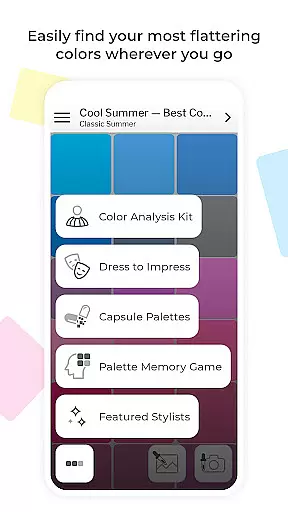
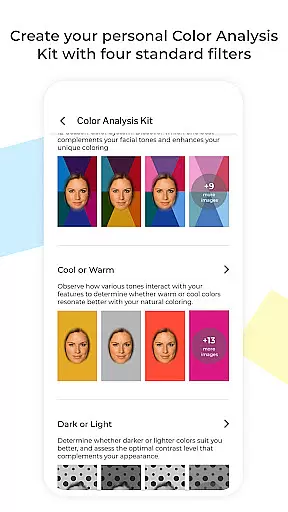
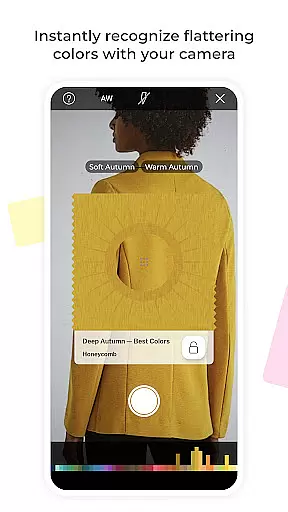
My Best Colors is a revolutionary mobile application designed to serve as your personal color consultant. The app utilizes your smartphone's camera to help identify the most flattering colors for your wardrobe, makeup, and accessories. With features like the Color Analysis Camera© and virtual color try-ons, it eliminates guesswork in fashion choices by providing tailored color palettes based on the 12 Season Color System.
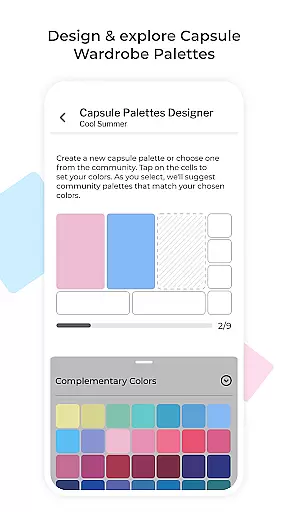
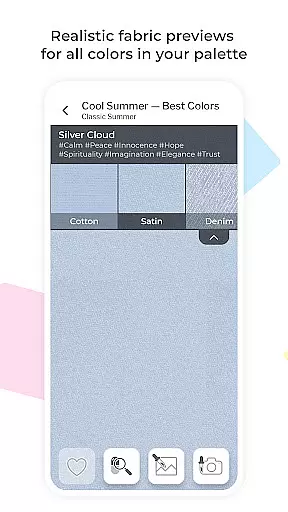
Beyond basic color matching, My Best Colors offers advanced tools such as Trending Palettes inspired by designer collections, emotionally curated Impression Palettes rooted in color psychology, and interactive features like the Color Picker and Fabric Previews. Whether you're building a harmonious capsule wardrobe or selecting cosmetics that enhance your natural beauty, this app ensures every choice aligns with your unique color profile.
Perfect for both everyday users and fashion enthusiasts, My Best Colors transforms how you shop, dress, and express yourself. By combining cutting-edge technology with personalized insights, it empowers users to make confident style decisions while saving time and effort.
My Best Colors stands out with its comprehensive suite of innovative features. At its core, the app provides free Best Colors palettes derived from the 12 Season Color System, along with premium options like Complementary, Neutral, Accent, Jewelry, Eyeshadow, and Lipstick Colors. These palettes are designed to simplify shopping and styling by offering curated shades tailored to individual preferences.
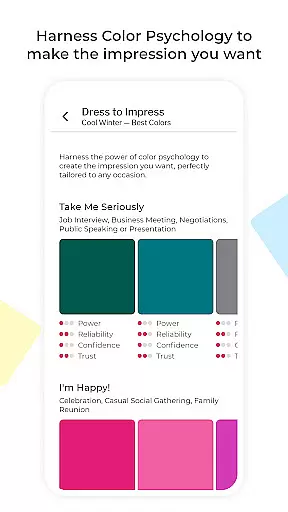
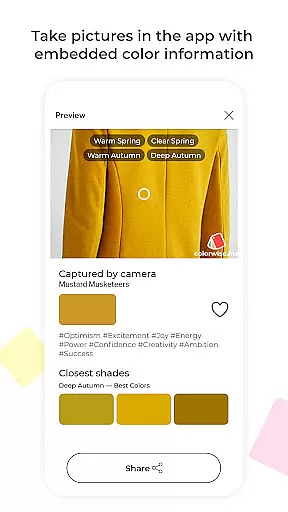
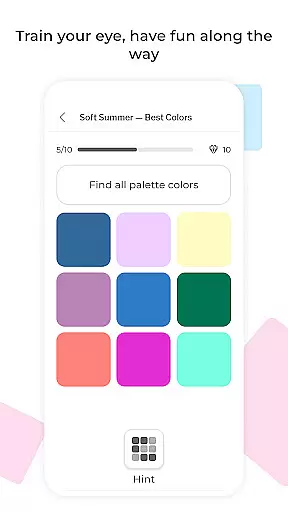
The app also incorporates advanced functionalities such as the Color Type Detection tool, which identifies the most suitable color type (season) for clothing or accessories through your phone’s camera. Interactive elements include the Color Picker for extracting shades from real-life objects, Dress to Impress guidance for situational dressing, and Fabric Previews to visualize textures. Additionally, users can engage with fun activities like the Memory Game to sharpen their color recognition skills.
With lifetime access to all premium features available via a one-time upgrade, My Best Colors delivers exceptional value without recurring fees. Its combination of practical tools, psychological insights, and community-driven content makes it an indispensable companion for anyone seeking smarter, more stylish wardrobe solutions.
My Best Colors offers an extensive product database that goes beyond simple color suggestions. The app provides tailored color palettes based on the 12 Season Color System, ensuring users can find shades that genuinely suit their complexion and style. With features like Trending Palettes and Impression Palettes, it adapts high-fashion colors to individual preferences while considering emotional impacts.
The app's Color Analysis Camerau00a9 allows users to virtually try on colors, mimicking in-person draping techniques. This feature helps identify oneu2019s seasonal color type with precision, offering a personalized experience. Additionally, the inclusion of thousands of community-curated capsule wardrobe schemes ensures users have ample options for mixing and matching harmonious outfits.
Users benefit from practical tools such as the Color Picker, which identifies shades from real-life objects or images, and Fabric Previews that simulate how colors appear in different textures. These functionalities ensure that every user can make informed decisions about their wardrobe choices, enhancing both shopping efficiency and personal style expression.
Personalization is at the core of My Best Colors, providing highly accurate recommendations through advanced algorithms. By leveraging the smartphone's camera, the app delivers precise color analysis, helping users discover their best shades effortlessly. This level of customization extends to various aspects, including makeup and accessory choices, ensuring each recommendation aligns perfectly with the user's natural attributes.
The app includes interactive features like the Memory Game, designed to enhance users' ability to recognize their best colors over time. Custom Palettes allow importing collections from other platforms, further tailoring the experience to individual tastes. Moreover, the Dress to Impress feature uses color psychology insights to help users select hues that convey specific emotions or impressions, adding another layer of personal relevance.
Overall, My Best Colors transforms traditional color consulting by delivering a deeply personalized service. Users gain confidence in their fashion choices, knowing they are backed by sophisticated technology and expertly curated content, ultimately leading to more purposeful and satisfying shopping experiences.
User-friendly interface
Comprehensive color analysis
No subscription fees
Interactive wardrobe tools
Emotion-based palette options
Limited free features
Premium upgrade cost
Requires accurate lighting
Occasional ads in free version
Learning curve for beginners

Transform your sweet selfies with Selfie Beauty Camera Filters And Effects!
 4.60
4.60
Healthier, more beautiful with Medicube Digital Clinic AGE-R!
4.10
Use your phone as a makeup mirror, shaving mirror. Magnifying mirror with light!
4.80
Change your hairstyle and color instantly with AI-powered virtual makeovers.
3.90
Hair style app, Face shape finder, Face shape, Hair style, Face shape detector
4.30
This barber game allows you to create and design hair styles on diverse people
3.80
Unleash your (Pro)tential with the hottest hair, nails and beauty brands!
4.60
Top brand haircare & fragrance
4.60
Snap stunning selfies with AI from the Sweet Beauty Camera editor
4.10
Book beauty salon, hair or health and wellness experiences in an instant
4.90
Beauty Camera & Selfie Camera snap Beauty selfie with filter, makeup, stickers
4.80
Selfiechat Filters for amazing photos with Funny face filters
4.60
A tool that brings skin care and technology together at your fingertips.
4.50
Your on-demand aesthetician
4.40
Beauty Camera AI Photo Editor with effect, filter, makeup tools for photo editor
4.30
True mirror app with zoom, LED light, for makeup & shaving anywhere!
4.20
Seasonal color palette, my personal color, hair color changer, makeup, wardrobe
4.20
Try On Style with AI: Virtual Dressing Room & Personal Fashion Stylist App
4.00
Never run out of your go-to beauty & get 5% off with auto-replenish deliveries!
4.00


User Reviews