
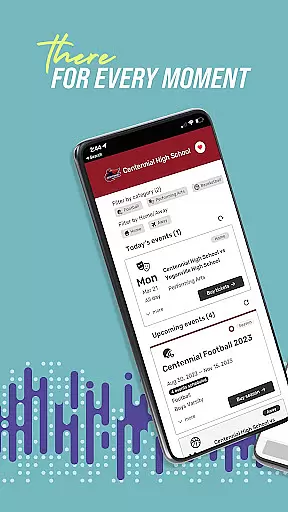
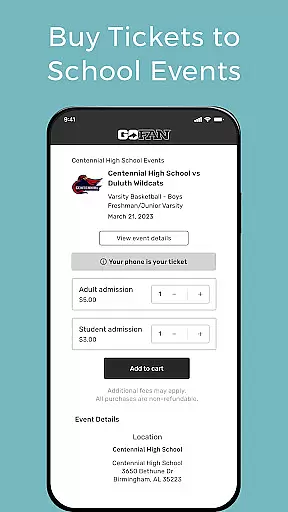
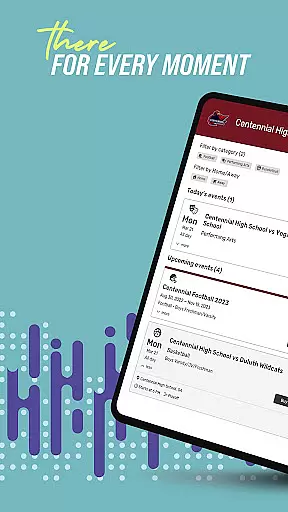
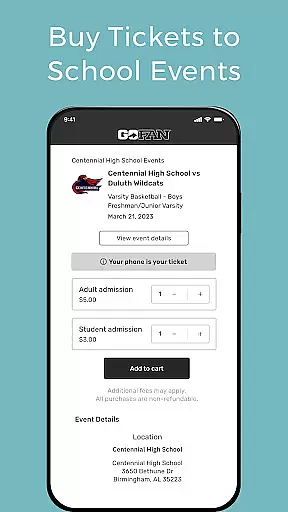
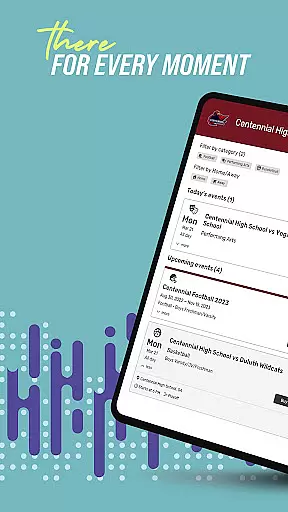
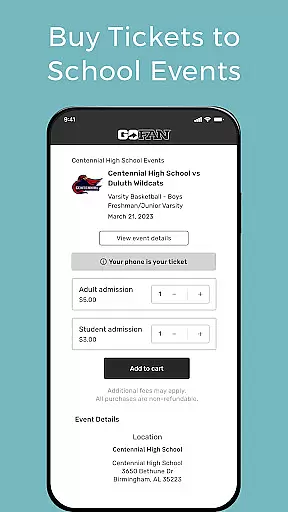
GoFan is the premier digital ticketing platform designed specifically for high school athletics and events. This innovative app allows users to conveniently purchase tickets to various school-related activities, including sports games, performing arts shows, dances, and camps. With a user-friendly interface, GoFan makes it easy to search for your school's upcoming events and secure your spot.
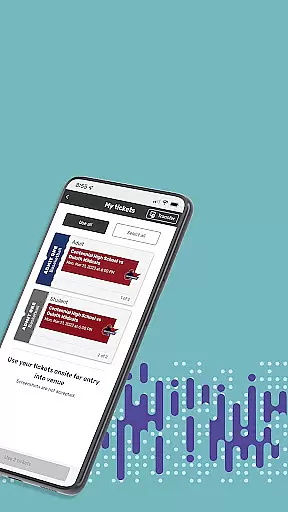
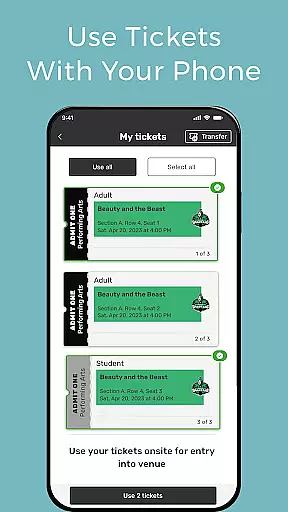
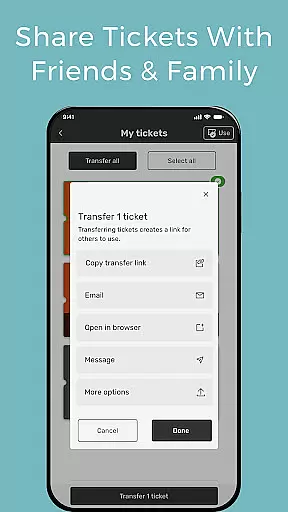
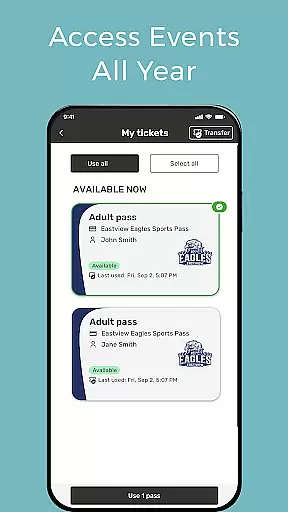
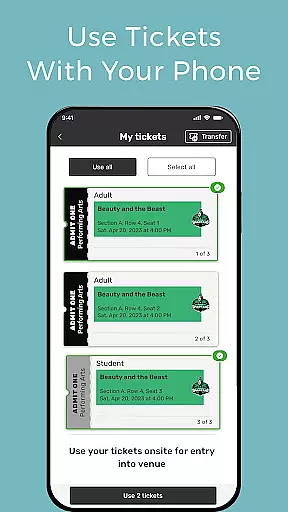
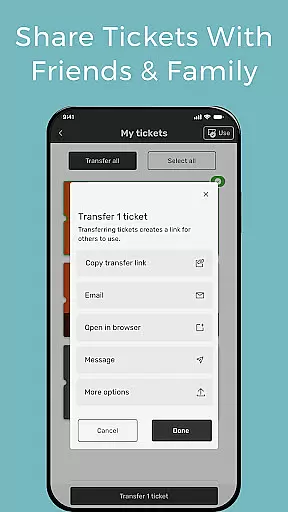
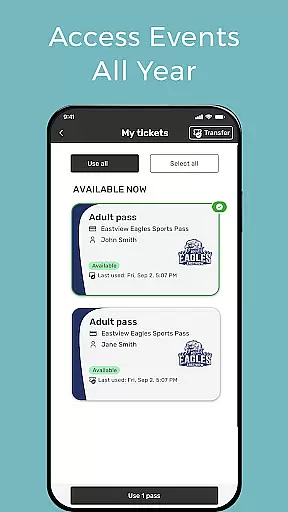
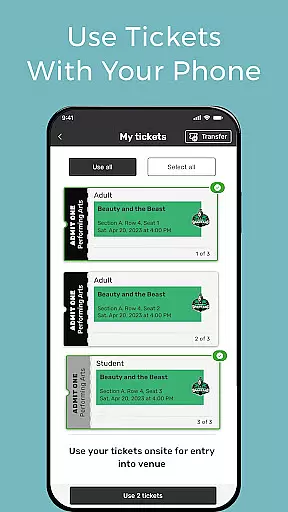
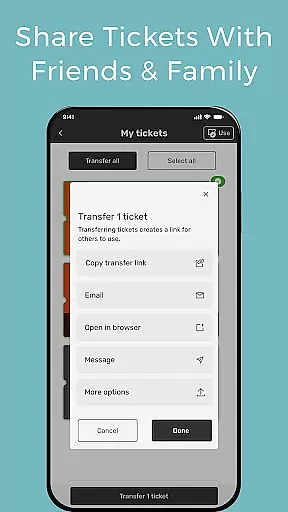
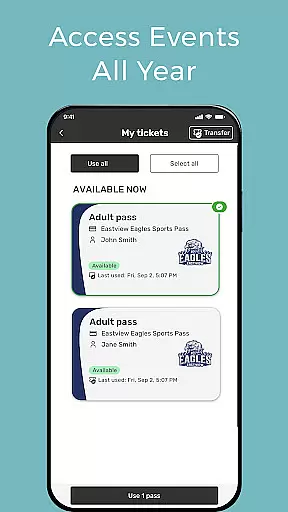
One of the standout features of GoFan is its mobile ticketing capability. Users can access their purchased tickets directly from the app and present them on their smartphones for seamless entry into events. Additionally, the app offers a sharing function that lets you transfer tickets to friends or family via text or email, ensuring no one misses out on the action. By favoriting your school within the app, you can stay connected all year round and quickly find upcoming events.
This digital solution not only simplifies the ticket-buying process but also enhances the overall event experience for students, parents, and fans alike. Whether you're cheering on your school's football team or attending a theater production, GoFan ensures you have everything you need right at your fingertips.
GoFan stands out with its comprehensive set of features tailored for high school event enthusiasts. The app's primary functionality revolves around its robust digital ticketing system. Users can effortlessly browse through a list of upcoming events at their respective schools and purchase tickets in just a few taps. This streamlined process eliminates the need for physical tickets and saves time for busy families.
Beyond ticket purchasing, GoFan offers convenient mobile access to all your event passes. Once bought, tickets are stored securely within the app and can be presented digitally at event entrances. The app also includes a unique sharing feature that enables users to transfer tickets to others through simple text messages or emails. This functionality proves particularly useful when coordinating attendance with friends or family members who may not have the app installed.
Additional notable features include the ability to favorite your school for quick access to future events and personalized recommendations based on your interests. These thoughtful additions enhance user engagement and ensure you never miss an important game or performance. Overall, GoFan's combination of practical tools and intuitive design makes it an indispensable companion for anyone involved in high school activities.
GoFan offers a digital ticketing experience that mirrors the real-world process of purchasing and using tickets for school events, which enhances the authenticity of the user's experience. The app allows users to search for their school and purchase tickets for various events such as athletics, performing arts, and more, simulating the traditional box office experience but with the convenience of a mobile application.
The functionality within GoFan has been designed to reflect real-life actionsu2014users can access their purchased tickets directly from their mobile device. This feature eliminates the need for physical tickets while maintaining the essential elements of event entry, thus preserving the realism of the ticketing process. By presenting tickets on a phone, users engage in a modern adaptation of an everyday activity, keeping the user experience intuitive and familiar.
Furthermore, the ability to transfer tickets to friends and family via text or email adds another layer of realism to the ticketing system. It mimics the act of handing over a physical ticket but in a format that is more secure and convenient. This ensures that users can share their event experiences effortlessly, just as they would in person, making the entire process from buying to attending an event as seamless and lifelike as possible.
Intuitive control schemes are vital for any application, ensuring that users can navigate and utilize its features without confusion. GoFan excels in this area by providing straightforward pathways for users to find and engage with the app's functionalities. Its design prioritizes ease of use, allowing users to quickly search for their school and upcoming events, which streamlines the process of purchasing tickets.
The app's interface is crafted to facilitate a smooth user journey from the point of entry to the final action of ticket acquisition. With clearly labeled buttons and menus, users can easily access their tickets and prepare them for event entry. This simplicity in design ensures that even those who may not be tech-savvy can manage their digital tickets with confidence.
Sharing tickets is also an intuitive process within GoFan, reinforcing the app's commitment to user-friendly controls. By enabling users to transfer tickets through common communication methods like text or email, it removes any unnecessary complications. This approach not only simplifies the sharing process but also aligns with how users naturally communicate, making the entire ticketing experience both intuitive and efficient.
User-friendly interface
Mobile ticket access
Ticket sharing options
School favoriting feature
Wide event coverage
Limited to schools
Occasional bugs
Payment issues
Customer support delays
Regional restrictions

Score as a Super Star in Football Strike: Action Multiplayer Online Soccer Game!
 4.70
4.70
NBA-licensed Streetball Game
4.70
Online app with multiple arenas! Live PvP multiplayer grand slam sports league.
4.60
Pro Freestyle Football
3.20
Out of the Park Baseball Go is a strategy & sports gaming fan’s dream come true.
4.40
Battle, grow, and conquer in an epic fight to become the boss!
4.30
Mobile Team Manager: Team Chat | Schedule Team Games | Build Player Roster
4.50
The My Epic app unlocks the mountain and elevates your experience.
3.90
NHL scores for Wear OS. Quickly see all NHL game details, standings & schedules+
4.4
Play darts against the world!
4.70
Feel combo thrills in Challenge! Aim, strategize, and master your billiard skill
4.60
Push your skills, express your style, or just enjoy the ride.
4.60
Play with friends and join millions of players in the king of bowling games!
4.60
Play the World's Soccer Game Anywhere with Premier League, UCL & LALIGA stars.
4.60
Ice Fishing Derby - It's the fun of ice fishing without the frostbite
4.40
Old-School Football
4.40
Exploring Football from a Unique Perspective
4.10
Pixel Cup Soccer is a retro-style arcade game, just the fun part of soccer!
4.00
The King of Retro Soccer!
3.60


User Reviews