
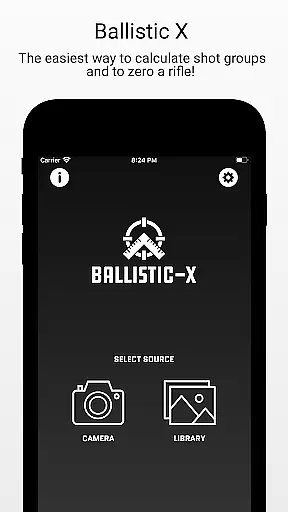
Ballistic X is a specialized sports application designed to enhance shooting precision through advanced calculation tools. The app offers shooters an intuitive platform to calculate shot groups and zero their rifles with remarkable accuracy. With its seamless compatibility with various targets, including Steel, and support for both MOA/MIL and INCH/CM measurements, Ballistic X caters to a wide range of preferences and needs.
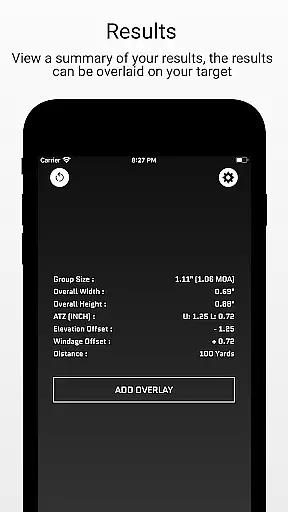
The app's standout feature is the ATZ (Adjustment To Zero), which dynamically assists in adjusting turrets at any range, thus saving both time and ammunition. Additionally, users can sync settings across multiple devices by signing in, although this is optional. Whether you are marking points of impact or analyzing load development, Ballistic X provides all necessary tools within a simple workflow that integrates with your shooting practice.
For those seeking more advanced features, an optional In-App Purchase unlocks the Advanced Toolkit, offering metrics such as Mean Radius, Circular Error Probable (CEP), and Radial Standard Deviation (SD). This makes Ballistic X not just a tool, but a comprehensive companion for improving shooting precision.
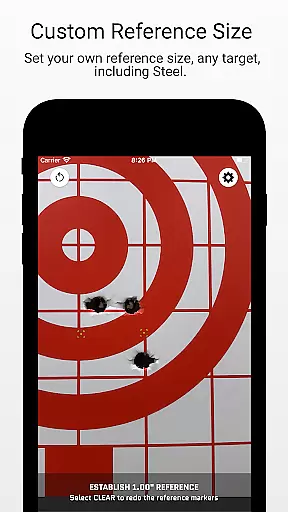
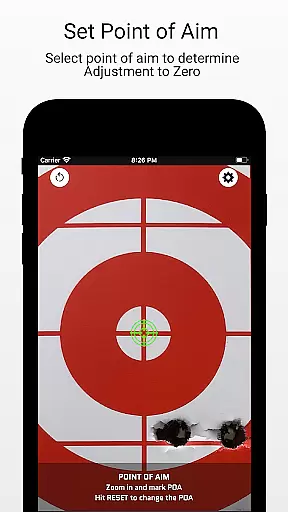
Ballistic X stands out with its rich set of features tailored specifically for shooters. One of the core functionalities includes the ability to take an image of your target directly within the app or import it from your library. Users can designate reference sizes via Settings, mark two points on the target corresponding to the reference, and input the distance from the target, making it versatile for different shooting scenarios.
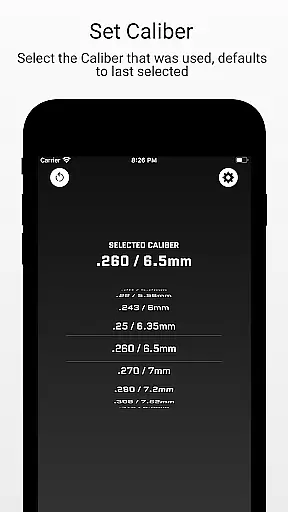
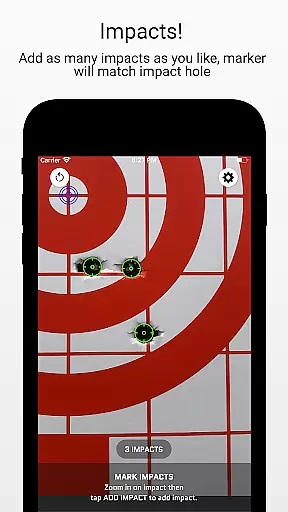
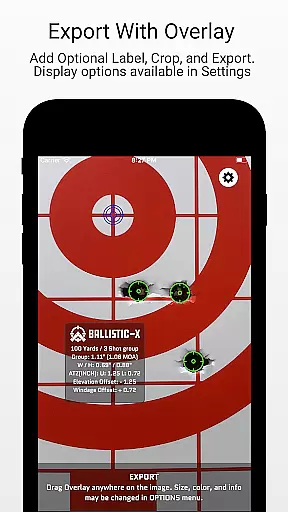
The app also supports selecting the caliber used and marking the Point of Aim and Impacts, providing detailed feedback on each session. With overlay, label, crop, and export/share options, users can comprehensively analyze their performance. The ATZ feature further refines this experience by helping adjust your optic precisely according to calculated adjustments.
For users looking to delve deeper, the Advanced Toolkit available through an In-App Purchase adds pro-level features like Mean Radius, Circular Error Probable (CEP), Radial Standard Deviation (SD), Vertical SD, Horizontal SD, Mean Windage, Mean Elevation, Impact Selector, and Export to CSV capabilities. These features collectively ensure that Ballistic X remains an indispensable tool for both amateur and professional shooters.
Ballistic X offers an unparalleled level of gameplay realism and physics accuracy tailored for shooting enthusiasts. The app's meticulous design allows users to calculate shot groups and zero their rifles with precision, simulating real-world ballistics.
The ATZ feature dynamically adjusts at any range, supporting all turret options, which ensures that the virtual experience closely mirrors actual shooting conditions. This attention to detail enhances the authenticity of the user's interaction with the app.
By marking points of aim and impacts on either a grid or steel target, users engage in a process that is both intuitive and true to life. Ballistic X provides a seamless transition from digital practice to live-fire exercises.
With its advanced toolkit, including metrics like Circular Error Probable and Radial Standard Deviation, Ballistic X elevates the standard for realistic shooting aids. These tools not only improve accuracy but also deepen the shooter's understanding of their performance.
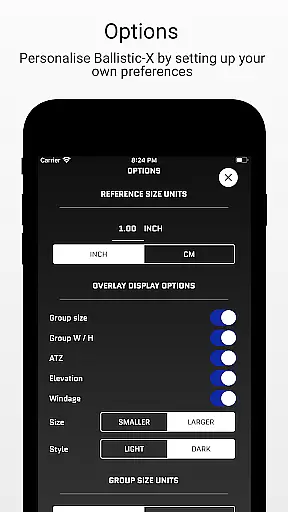
The control scheme of Ballistic X is crafted to be intuitive for shooters of all levels. Its user-friendly interface allows for easy customization through the Options Menu, accommodating preferences such as MOA/MIL or INCH/CM without disrupting workflow.
Users can take images of targets directly within the app or upload them from their library, streamlining the process of analyzing shot groups. The simplicity of designating reference sizes and marking two points on targets makes using Ballistic X straightforward and efficient.
Inputting distances and selecting calibers are integrated smoothly into the workflow, ensuring that time spent on setup is minimized. This efficiency allows users to focus more on honing their skills rather than navigating complex controls.
Additionally, features like overlay display options and exporting capabilities provide further layers of intuitive control. With Ballistic X, managing data and refining techniques becomes an accessible task for every user.
User-friendly interface
ATZ feature for precise adjustments
Sync settings across devices
Comprehensive data analysis
Active community support
Premium features require purchase
Limited free version capabilities
Advanced features may overwhelm beginners
Optional sign-in required for sync
Specific to shooting sports

Feel combo thrills in Challenge! Aim, strategize, and master your billiard skill
 4.60
4.60
Play darts against the world!
4.70
Ice Fishing Derby - It's the fun of ice fishing without the frostbite
4.40
Real-time 1v1 basketball game! Dunk, shoot & win like MVP basketball superstars!
4.70
Vertical billiards game with single player
4.60
Rediscover the joy of the original Backyard Baseball 1997
3.70
Be a wrestling Superstar
4.40
Play the World's Soccer Game Anywhere with Premier League, UCL & LALIGA stars.
4.60
The NFHS Network delivers high school sporting events from across the country.
3.70
Build a football club from scratch and see if you can conquer the leagues!
4.70
Very fun billiards game.
4.60
Play with friends and join millions of players in the king of bowling games!
4.60
Enjoy an easy to play multiplayer Baseball game!
4.40
Old-School Football
4.40
Feel the thrill of American football: guide a team to triumph through touchdowns
4.40
Recruit and train players to form a winning team!
4.10
Relive the second baseball game in the Backyard Sports franchise!
4.00
The King of Retro Soccer!
3.60
Pro Freestyle Football
3.20


User Reviews