
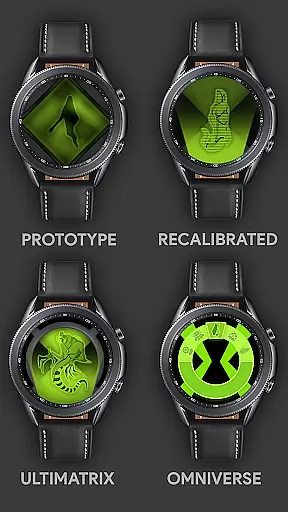
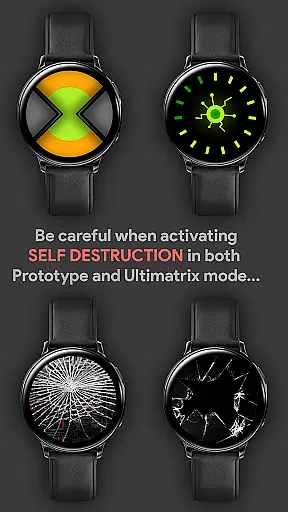
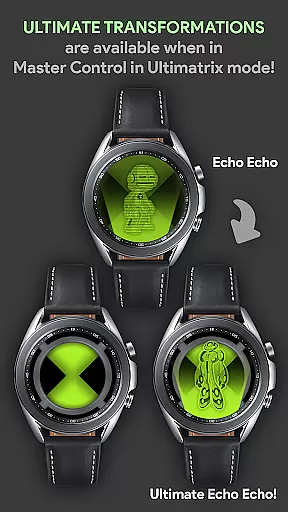
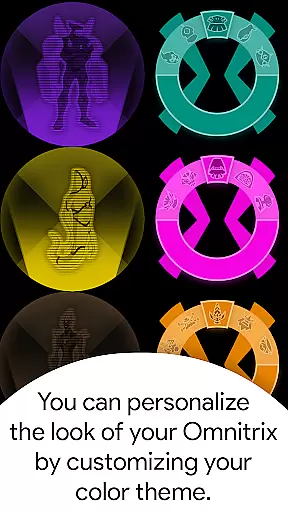
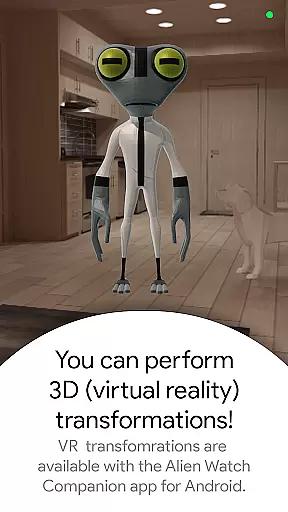
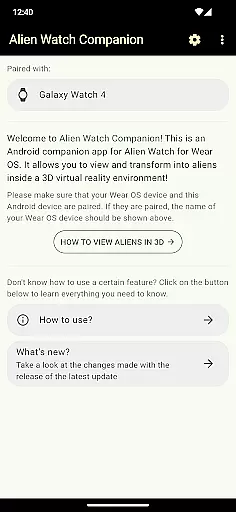







Alien Watch is a feature-rich simulation app designed to bring the iconic Omnitrix experience to life on your Wear OS smartwatch. This app allows users to transform their smartwatch into an authentic Alien Watch, complete with multiple modes such as Prototype, Recalibrated, and Omniverse. Each mode offers unique sub-modes like DNA Scan, Master Control, Ultimatrix, and Randomizer, providing an immersive Ben 10-inspired experience. The app supports advanced features including Fusion Transformations, 3D transformations, Voice Commands, and Self Destruction, making it ideal for true fans of the franchise.
The app's standout functionality lies in its interactive elements. Users can unlock aliens through step goals or activation codes, customize watch colors, and even enjoy custom voice sound effects during transformations. With additional support for Albedo mode and Leaderboard submissions via the Android companion app, Alien Watch delivers both entertainment and engagement. Whether reliving childhood memories or exploring creative alien interactions, this app offers a comprehensive simulation experience tailored for enthusiasts.
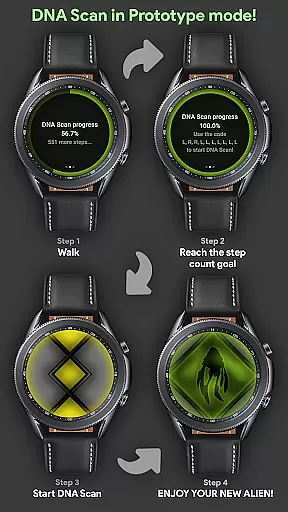
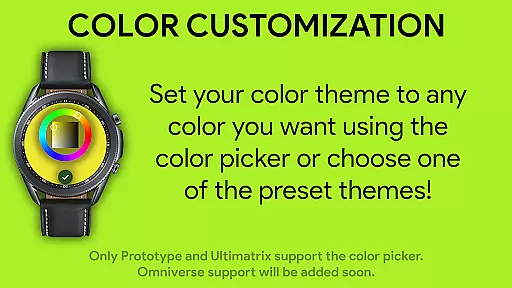
Alien Watch stands out with its diverse range of innovative features that cater to fans of detailed simulations. One of its core functionalities is the Prototype mode, which includes tools like DNA Scan for unlocking aliens by walking or entering codes, Virtual Reality transformations for 3D alien viewing, and Fusion Transformations for combining alien forms. These features are complemented by customizable options such as color themes and voice commands, enhancing user interaction.
Another highlight is the Recalibrated mode, featuring Ultimatrix transformations, Ultimate Alien modes, and Azmuth Easter Eggs. This mode also introduces dynamic sound effects where aliens audibly announce their names during transformations. Additionally, the Omniverse mode provides a Randomizer function that selects a random alien every 15 seconds while supporting Albedo mode customization. Together, these capabilities create a versatile platform for simulating various aspects of the Ben 10 universe, ensuring hours of engaging gameplay.
Alien Watch offers a rich economic system that simulates resource management akin to the complexities found in the Ben 10 universe. The app allows users to unlock additional aliens through step count goals, mimicking an in-game currency system where physical activity translates into valuable assets.
This dynamic feedback mechanism is designed to encourage consistent user engagement by providing tangible rewards for real-world actions. As players achieve their movement objectives, they receive virtual incentives, creating a rewarding loop that enhances the overall experience.
The Leaderboard feature adds another layer of economic interaction by allowing users to submit their achievements and compare them with others. This competitive element fosters community engagement and motivates players to continually improve their performance within the simulated environment.
Resource management in Alien Watch is carefully balanced to provide a strategic challenge. Users must decide whether to unlock aliens through walking or by using activation codes, introducing a choice between investing time or utilizing resources.
This balance ensures that players have multiple pathways to achieving their goals, catering to different play styles and preferences. Whether opting for the more active approach of completing step counts or leveraging acquired codes, each method offers its own set of strategic advantages.
Moreover, features like DNA Scan and Fusion Transformations add complexity to resource allocation decisions. Players need to strategize on how best to use these functions, enhancing the depth of gameplay while maintaining an engaging and enjoyable experience.
Highly customizable
Realistic alien simulation
Interactive transformation modes
Voice command integration
Leaderboard competition
Requires Wear OS device
Companion app dependency
Limited free features
Complex setup process
Premium version costs

Survive, explore, and invent wild machines in a world ruled by robots!
 4.0
4.0
Be a miner: Mine cash in this idle clicker simulator game as gold digger tycoon.
4.50
Makeup, dress up and skincare for your princess fashion
4.70
The most wanted app, based on your feedback, is now here!
4.90
Big Tractors, Big Farms, 1000+ Acres, American Sheds, all on an American Map!
4.40
The ultimate off-roading game!
4.60
Divine casual-strategy Sandbox game about Gods, Civilisations and Faith!
4.50
Become a viral rich tycoon with Lamar in this idle clicker, life influencer game
4.40
Collection of relax mini games: Skincare, makeup, makeover, decorating and more
4.00
The acclaimed bridge-building indie-hit is back and better than ever!
4.70
An Atmospheric Vehicle Adventure Game
4.60
Multiverse in shambles? There's a goat for that. Play on mobile now!
4.60
Dodge lasers and explore! Planetary Development Simulation
4.60
Draw the image and color in the spaces to create the complete picture
4.50
Inspect papers, Prevent smuggling—keep border safe or profit from corruption.
4.30
Explore sandbox simulator featuring crafting and socializing in Portia
4.10
Be the leader of wobblers from ancient lands, spooky places, and fantasy worlds.
4.10
Play on ANY CITY in the world!
3.70
Rule the night as a club security!
4.5


User Reviews