

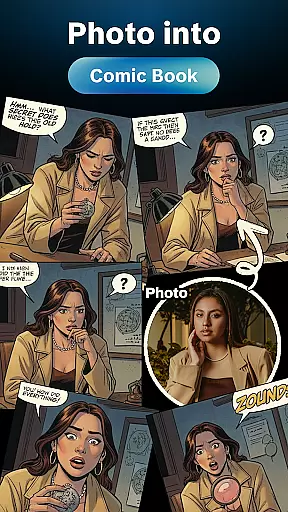


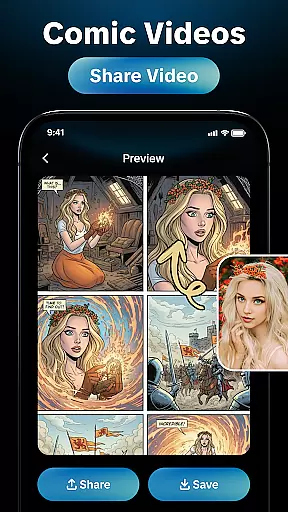
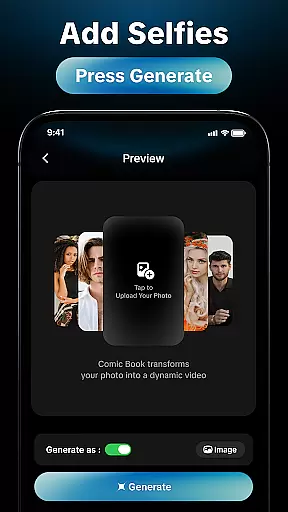
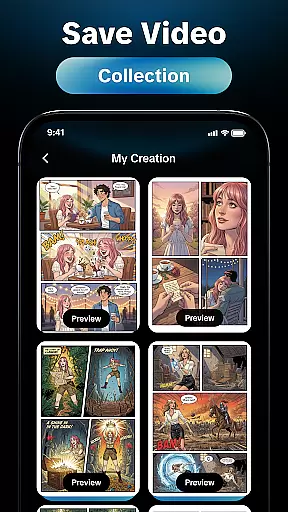
AI Comic Generator is a revolutionary tool designed for comic enthusiasts, writers, and content creators who want to produce visually stunning comic-style artwork with ease. This app leverages advanced AI technology to transform your ideas into captivating illustrations in seconds, making it an ideal solution for storytelling, character design, or simply bringing imaginative concepts to life.
The application offers a user-friendly interface that caters to both beginners and professionals. Whether you're drafting a full-fledged comic book or experimenting with standalone panels, the AI Comic Generator provides customizable templates, dynamic art styles, and intuitive controls to streamline your creative process. Its versatility makes it suitable for various platforms, including mobile and desktop environments.
By combining efficiency with high-quality output, this app empowers users to focus on their narrative while leaving the artistic heavy lifting to AI. From indie creators to marketing professionals, AI Comic Generator serves as a valuable asset for producing professional-grade comics without requiring extensive artistic skills.
AI Comic Generator stands out with its robust feature set tailored specifically for comic creation. One of its core functionalities is the AI-driven art generation engine, which analyzes textual input or rough sketches to produce polished illustrations. This ensures that even users with minimal drawing experience can achieve impressive results.
In addition to its AI capabilities, the app includes a library of customizable templates and pre-designed assets such as characters, backgrounds, and speech bubbles. These resources allow users to maintain creative control while speeding up their workflow. Advanced features like layer management, color palettes, and export options in multiple formats further enhance the app's utility for professional projects.
Another notable aspect is its cloud integration, enabling seamless synchronization across devices. This allows creators to start their work on one device and continue on another, ensuring flexibility and convenience. With regular updates and an expanding asset library, AI Comic Generator remains a cutting-edge tool for comic enthusiasts worldwide.
When it comes to creating comic-style artwork, having access to a diverse and extensive library is crucial. The AI Comic Generator offers users an impressive range of comic elements, ensuring that creators can find exactly what they need to bring their stories to life.
This application boasts thousands of pre-designed assets including characters, backgrounds, and props, all tailored to fit various comic styles. Whether you're aiming for a classic superhero aesthetic or something more contemporary, the app provides the creative freedom to explore different visual narratives.
Users benefit from regular updates that expand the library with new content, keeping their creations fresh and engaging. This ensures that no matter how ambitious your project is, you'll always have the resources needed to make it a reality.
The depth and breadth of the library not only cater to professional artists but also welcome beginners who may be taking their first steps in comic creation. With such comprehensive support, the AI Comic Generator stands out as an indispensable tool for anyone passionate about comics.
In the world of digital content creation, ensuring the authenticity and proper licensing of materials is essential. The AI Comic Generator takes this seriously by providing users with legally licensed assets that guarantee peace of mind during the creative process.
All illustrations and design elements within the app are created in-house or sourced from reputable partners, ensuring that each piece of content adheres to strict copyright standards. This means creators can use these resources without worrying about potential legal issues down the line.
Moreover, the app includes features that allow users to track the usage rights of specific assets, making it easier to manage projects professionally. By prioritizing transparency in licensing, the AI Comic Generator fosters a trustworthy environment where creativity can flourish without constraints.
For writers, artists, and content creators, knowing that their work is built on solid legal ground adds significant value, allowing them to focus on storytelling rather than legal concerns. This commitment to authenticity sets the AI Comic Generator apart in the realm of comic creation tools.
User-friendly interface
High-quality AI-generated art
Customizable templates
Cloud synchronization
Export options in multiple formats
Limited free-tier features
Subscription cost may be high
Occasional AI inaccuracies
Steep learning curve for beginners
Internet connection required

A free paradise specially built for comic lovers. When you step into this comic universe full of surprises, it is like opening a door to endless joy. You are immediately immersed in the wonderful world brought by reading and enjoy the infinite charm of reading.
 4.5
4.5
Read manga, comics, and manhwa
4.1
The best app for digital comics - Welcome to Lezhin!
3.10
Arabic manga reader
4.00
Catalog your collection. Just scan covers with your device camera. (US $20/yr)
4.80
This application will enable donated users only function in Perfect Viewer.
4.90
Comics and stories from Japan
4.60
Official from Japan
4.80
Get the latest manga chapters daily, released simultaneously with Japan.
3.10
See the newest comic book releases and manage your comic collection or pull list
4.70
Artists wanting to use decent hand reference on the go, this app is for you!
4.70
Joke book collection with the funniest dad jokes and riddles for you to enjoy!
4.60
Follow your favorite manga and get notifications for new chapters!
4.50
The largest manga, comics, and manhwa community with millions of fans!
4.50
SQUARE ENIX's official Manga app!
4.40
Daily updates & FREE chapters
4.00
MangaRise - Your Manga and Manhwa Companion
3.90
Goat sound simulator. This app makes for fun.
4.5
Welcome to SnapSaga - your ultimate manga and novel destination!
4.5


User Reviews